# Connect Revora NLU
> Learn how to connect Revora NLU with your channels and make your chatbots more responsive.
المنتج · Chatbot
You need to be an Admin on Revora to access **Integrations**.
## Use Cases of Revora NLU
Revora NLU is a pre-built NLP app from our end. Activating Revora NLU will allow you to:
* Instantly connect NLP to your chatbots without [creating a wit.ai app](/docs/product/chatbot-automation/create-rules-to-trigger-a-sequence/user-intent-by-nlp-wise-automation/connect-wit-nlp) from scratch.
* Help your bots understand common human intents and keywords.
* Create advanced user journeys and automate repetitive queries.
For the time being, both Revora NLU and INTNT are English-language NLP apps. Interested in an NLP app in your native language? Feel free to [contact us](https://userevora.com/support/).
## Activate Revora NLU
### Step 1: Create a Channel
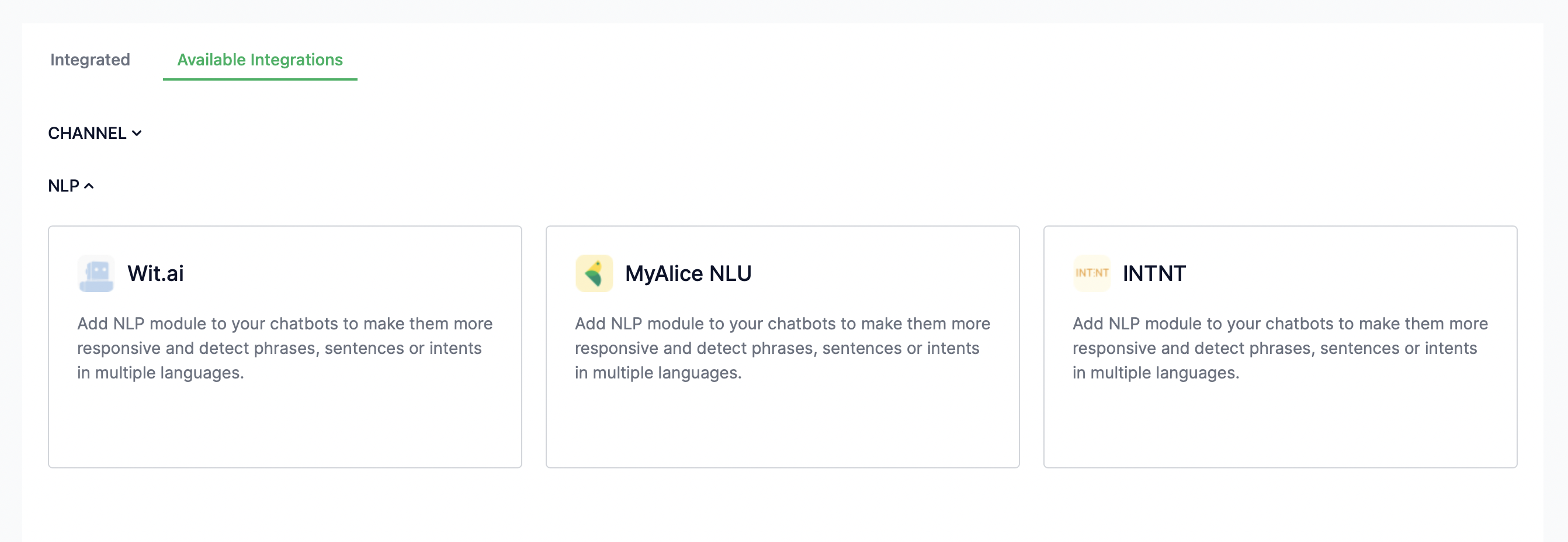
1. Go to **Integration** from the left navigation bar.
2. Under **Available Integrations > NLP**, select **Revora NLU**.
3. A connection window will appear from the right. Click on **Next**.
4. Set a title for your NLP connection.
5. Set a confidence level for your app and click **Finish**.
### Step 2: Connect Revora NLU to a Channel
From **Integration** on the left navigation bar, select **Integrated**. Choose the channel with which you want to connect the NLP app. Click on the triple-dot icon **(...)** on the selected channel and select **Edit**.

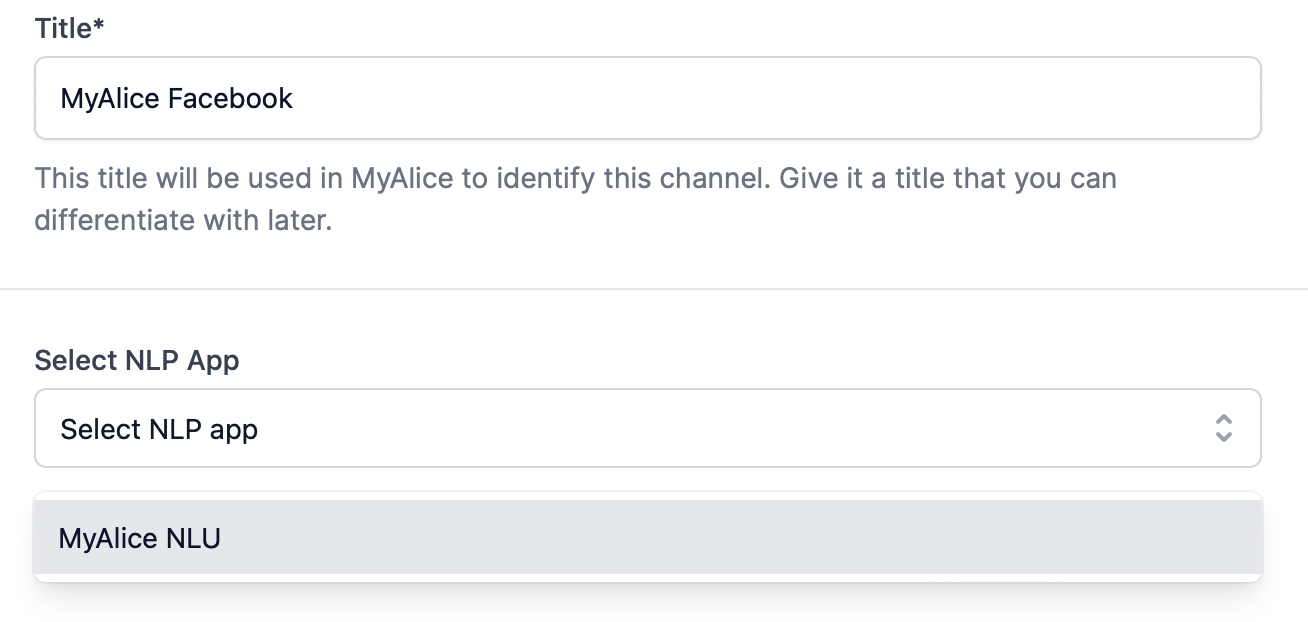
A pop-up window will appear from the right. From the drop-down menu under **Select NLP App**, select your desired NLP app.
## FAQs and Troubleshooting
What is a Confidence Level?
The Confidence Level indicates how certain the NLP app is that the correct intent has been assigned.
If you are confident that your NLP app is trained adequately, you can set a higher score (>0.5) for it. In that case, the bot will try to understand intents outside its training. However, if you do not want your bot to interpret more than what it has learned and act strictly on how it's trained, you can set a lower confidence score (<0.5).
My NLP app is taking some time to function properly on Revora.
We built Revora NLU on wit.ai. Due to API limitations, the Revora NLU might take more than 30 minutes to function properly. However, if your app is still inactive after an hour, feel free to [contact us](https://userevora.com/support/).
---
HTML: https://userevora.com/ar/docs/product/chatbot-automation/create-rules-to-trigger-a-sequence/user-intent-by-nlp-wise-automation/connect-revora-nlu